ACSS 4
Fancy Etch is also fully compatible with ACSS, the #1 CSS framework for Etch and a long-standing staple in the WordPress ecosystem. Fancy Etch leverages ACSS's variables directly, so you'll get a seamless experience right out of the box — you just need to keep a few small recommendations in mind to make sure every component and layout renders exactly as intended.
Enable the Secondary and Base color

Some components and layouts rely on the secondary color. If your project doesn't use a secondary color, you'll need to replace the corresponding color variable in your CSS to avoid visual inconsistencies.
The base color is enabled by default in ACSS, but it's worth double-checking, since Fancy Etch uses it across several elements — especially for transparencies and background layers.
Enable Card Framework
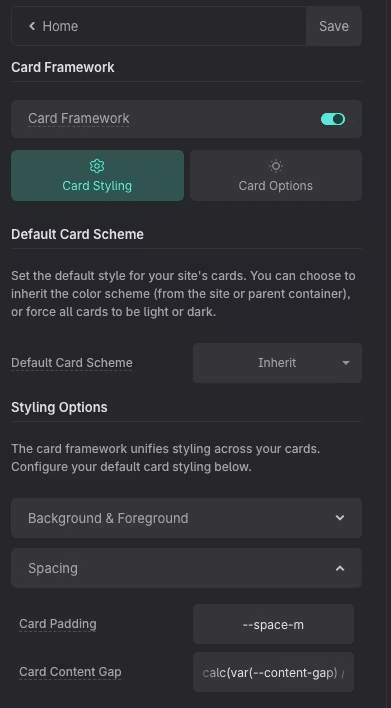
Fancy Etch uses the --card-padding and --card-gap variables in several
components, so make sure ACSS's Card Framework is enabled for everything to
render correctly.
Disable "Add Radius Automatically"

If you're not familiar with how this option works, we recommend turning it off. Leaving it enabled can cause some templates to look different from the demo, particularly when it comes to images.