The results page
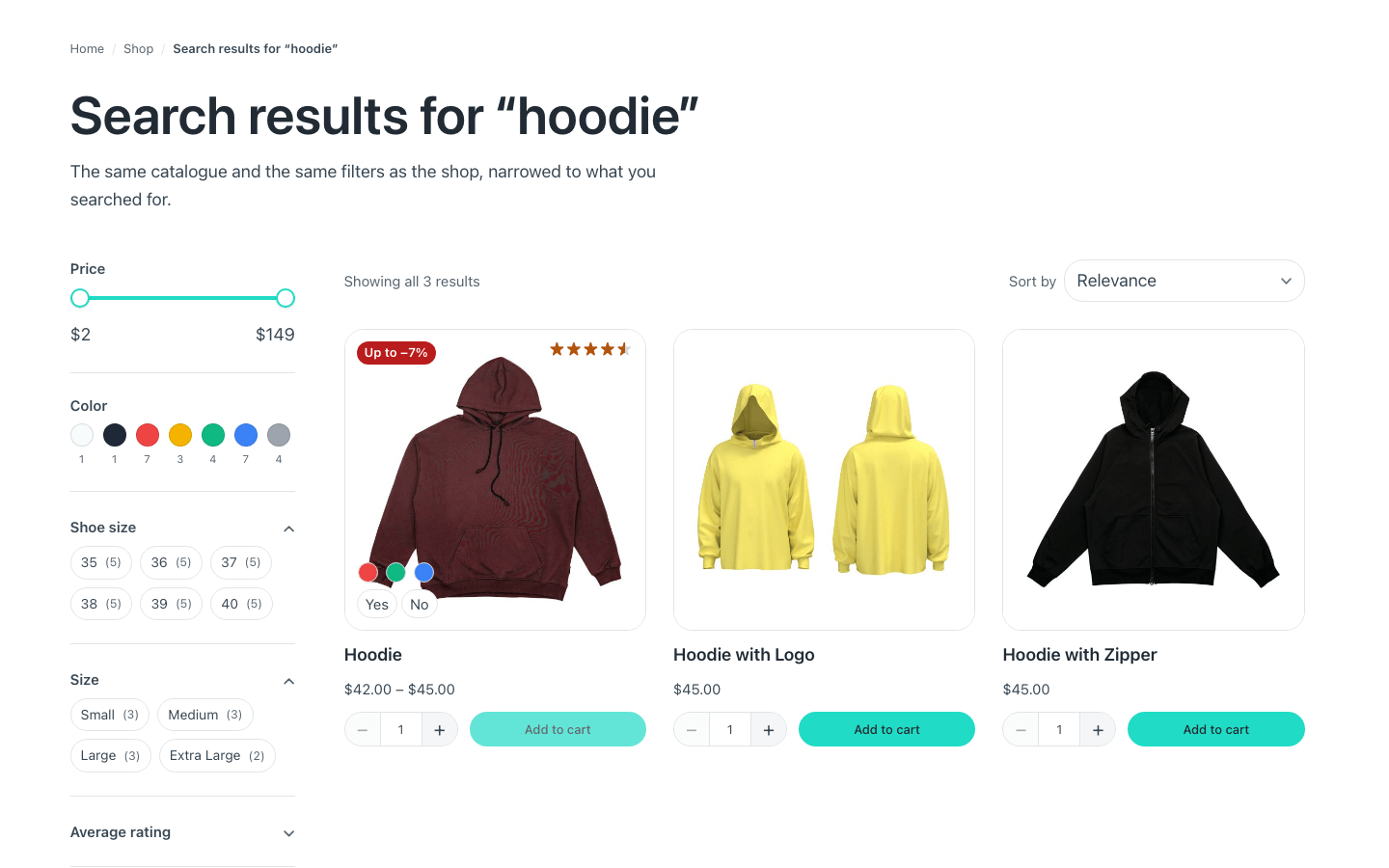
See all results — and Enter in the dialog — lead to WooCommerce's search
results, /?s=hoodie&post_type=product. There is no template to build for
that page: it uses your product archive, the same one as /shop/ and your
categories, with its filters, its bar and its grid. Improve the catalogue and
search results follow.
All it needs is a heading that says what was searched. In the catalogue's header:
1. A condition on url.parameter.s, with the search heading inside. Etch
fills {url.parameter.s} with what was typed, so the title can read
Search results for “{url.parameter.s}”.
2. The headings you already have — the category's and the shop's — inside a
second condition, !url.parameter.s. With the !, which is how Etch writes
«not»: without this one, a search shows its heading and the shop's.
A search sent empty is still a search to WordPress; the second condition gives it the shop's heading.
What comes with it, with nothing to set up:
- The breadcrumb reads Home / Shop / Search results for “hoodie”.
- The catalog bar says when nothing matched — and, with Rescue empty searches on, that it showed «hoodie» because nothing matched «hodie». The heading keeps what was typed.
- The filters count what the search found, not the whole shop.
When a search leaves exactly one product — filters included — WooCommerce goes
straight to that product's page. That is WooCommerce's own behaviour:
add_filter( 'woocommerce_redirect_single_search_result', '__return_false' );
keeps shoppers on the results.
A product-search-results template the site changed still wins over the
catalogue: a template the site made beats a stock one. Stock means WooCommerce's
own page — and also the untouched copy of it that Etch saves to the database
whenever its builder opens, which is why that copy does not count. The same goes
for /color/blue/: WooCommerce's attribute page only wins if somebody changed it.
For developers: which post types' searches and taxonomy archives use their
archive is the fancy_etch/templates/archive_types filter — WooCommerce adds
product. Return an empty list to leave the template choice to WordPress and
WooCommerce.
Your searches still use WooCommerce's page
You built the catalogue, you never touched the search template, and the results
page is still not yours. That happens when the saved product-search-results is
no longer WooCommerce's untouched page: a WooCommerce update, a visit to
Appearance → Editor, or opening that page in Etch — which saves what it finds —
all leave a copy that counts as the site's. And you cannot delete it: WordPress
does not delete a template a plugin registers.
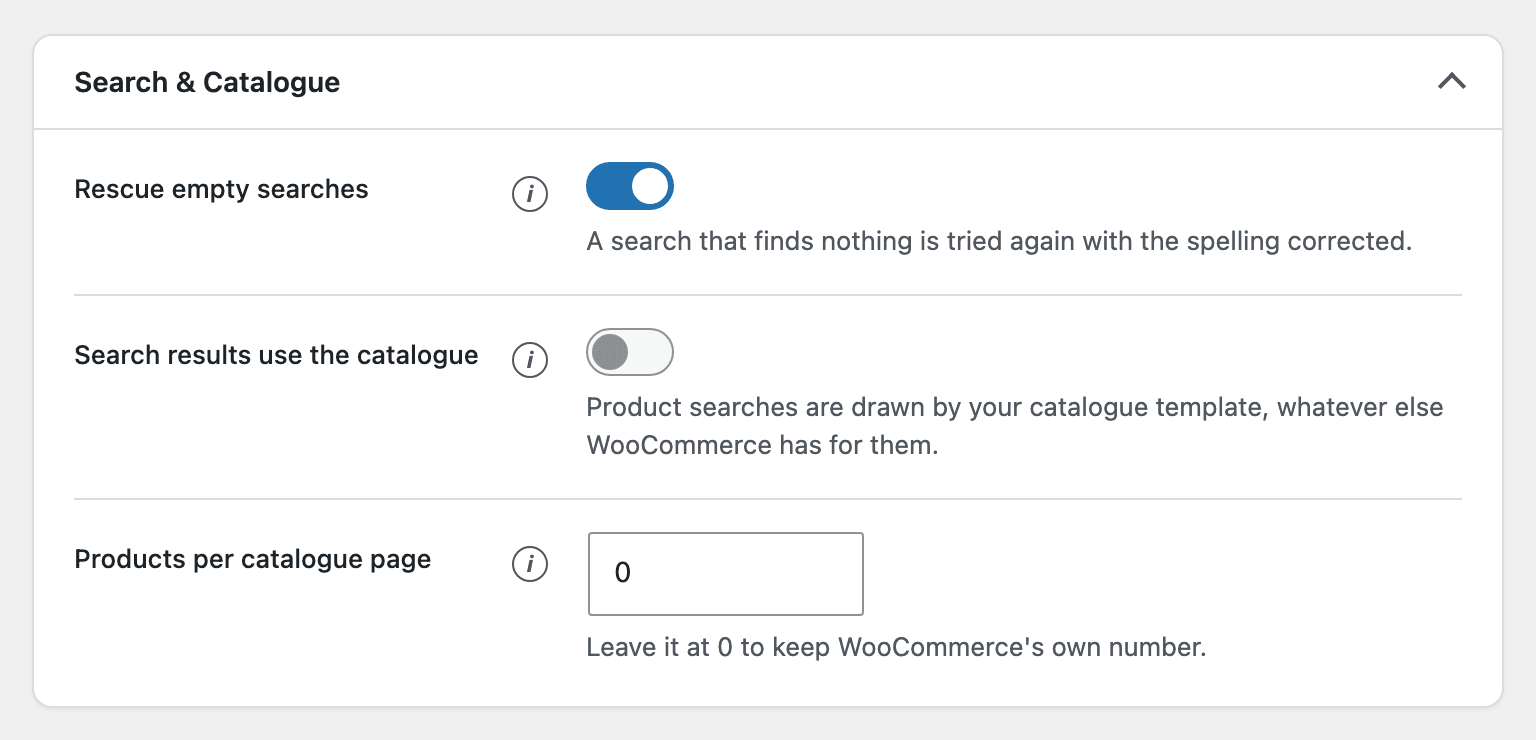
Turn on Search results use the catalogue, in Fancy Etch → Shop → Search &
Catalogue. With it on, product searches are drawn by archive-product whatever
else is in front of it, and nothing else changes — /color/blue/ and the rest of
the rules stay as they are. Leave it off if you do design that search page
yourself.
For developers, the same switch is fancy_etch/woo/search_uses_catalog, and for
any other post type fancy_etch/templates/force_archive:
add_filter(
	'fancy_etch/templates/force_archive',
	static fn( $forced, $type ) => 'recipe' === $type ? true : $forced,
	10,
	2
);