The wishlist page
The page that shows what each visitor saved. It is not a component: it is an Etch loop with your own card inside, so the list looks exactly like the rest of your site, and you decide what an empty list says.
Choose it first in Fancy Etch → Wishlist → Wishlist page: the Wishlist Count links there, the page is never cached, and a guest's list only reaches the server on it.
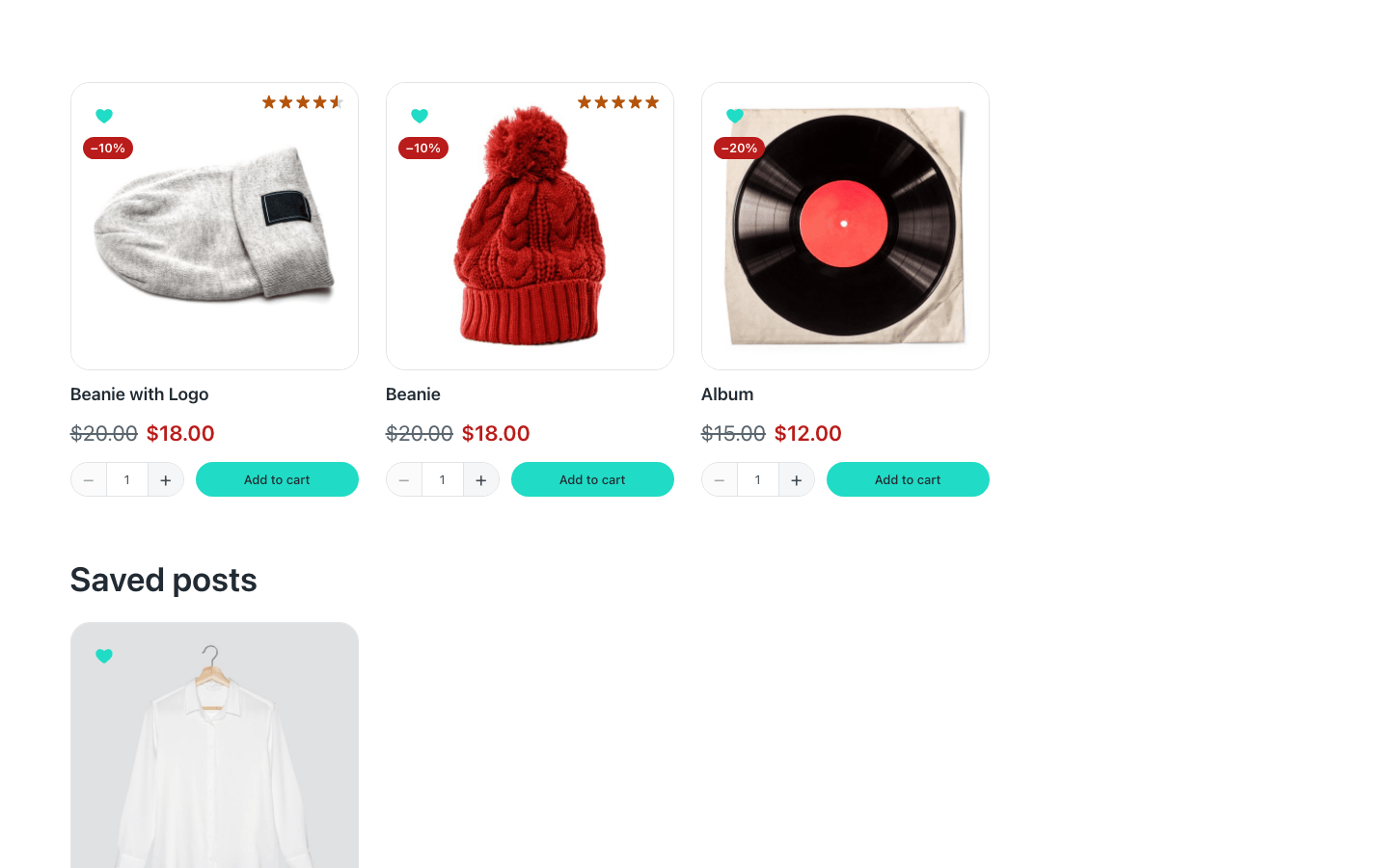
The Wishlist loop
- Add an Etch loop and choose the Wishlist loop.
- Put your card inside — the one from your catalogue or your blog works as it is — with a Wishlist Button in it, so things can be removed from the list too.
It lists what the visitor saved, newest first. Its parameters take words in single quotes:
| Parameter | Default | What it does |
|---|---|---|
type | 'any' | Only one kind: 'post', 'product' or any other post type. |
count | -1 | How many to show. -1 is all of them. |
suggest | 'yes' | With WooCommerce, a loop of products —or of any kind— with nothing saved shows four of your featured products instead of an empty grid. 'no' leaves it empty. |
While you edit, the loop always shows a few items, so there is always a card to design.
Several lists on one page
Each visitor has one wishlist, and a page can show it in parts: one loop per kind. Products in one section with their shop card, posts in another with the blog's.
Section «Saved products»
├── Condition: options.fefav.counts.product — is falsy
│   └── «No saved products yet»
└── Grid
    └── Loop «Wishlist» — type 'product'
        └── Product card, with a Wishlist Button

Section «Saved posts»
├── Condition: options.fefav.counts.post — is falsy
│   └── «No saved posts yet»
└── Grid
    └── Loop «Wishlist» — type 'post', suggest 'no'
        └── Post card, with a Wishlist Button
Each loop watches its own kind: removing the last post empties the posts section and brings its message, without reloading, while the products stay where they are.
When a list is empty
An empty wishlist is an Etch condition, not a component, so it says whatever you put inside it:
options.fefav.empty— nothing saved at all. Put it outside the sections for a message about the whole list.options.fefav.counts.postset to is falsy — no posts saved. Any post type works:counts.product,counts.page…
It comes and goes as things are saved or removed, without reloading, anywhere on the page — a header included. A button inside it can send people to {options.fefav.browse_url}: the shop with WooCommerce, the home page without it.
Undo
Removing something on the wishlist page takes its card away and offers Undo in a floating notice. Place a Wishlist Notice anywhere on the page to give it your colours, words and position; without one, the page shows it with the words from Fancy Etch → Texts → Wishlist.

Its dynamic data
| Data | What it holds |
|---|---|
options.fefav.count | How many items are saved. |
options.fefav.empty · options.fefav.filled | Whether the list is empty, or not. |
options.fefav.state | empty or filled, for when you need a word instead of a yes or no. |
options.fefav.counts.<type> | How many of each kind: counts.product, counts.post… Every kind that can be saved is there, at 0 when none is. |
options.fefav.ids | The saved items, newest first. |
options.fefav.url | The wishlist page. |
options.fefav.browse_url | Where an empty list sends people: the shop with WooCommerce, the home page without it. |
A guest's list only reaches the server on the wishlist page, so anywhere else this data says «empty» for a guest. The hearts and the count read the real list in the browser.